
Use an available storefront
If your account has shop access, configure your prices and payment connection before sharing the shop link.
Set up your storefront →Panel walkthrough
The reseller panel is where you manage VPN accounts and credit costs. This walkthrough explains the core workflow before you commit to a storefront or API integration.
After registering and completing any requested email verification, open Credits & Billing. Check your available credits and the cost of the plans you intend to sell. Your account’s rates are the reference for actual purchases.
The public pricing page uses the standard £0.50 credit price and recommended resale prices. Volume discounts are available for larger customer numbers; confirm the applicable rate before basing your offer on a discount.
Open VPN Users, then choose Create VPN User. Select the 24-hour trial plan to test the connection before creating paid subscriptions.
Trial accounts consume no credits, but require a positive reseller credit balance. Top up first if your balance is zero. Paid plans consume credits. Keep trial details separate from real customer records, and check that creation succeeded before trying again.
Open App Downloads and choose an available client for your test device. Use the VPN account credentials from the previous step and confirm that you can connect. Your reseller panel login and a customer’s VPN login serve different purposes.
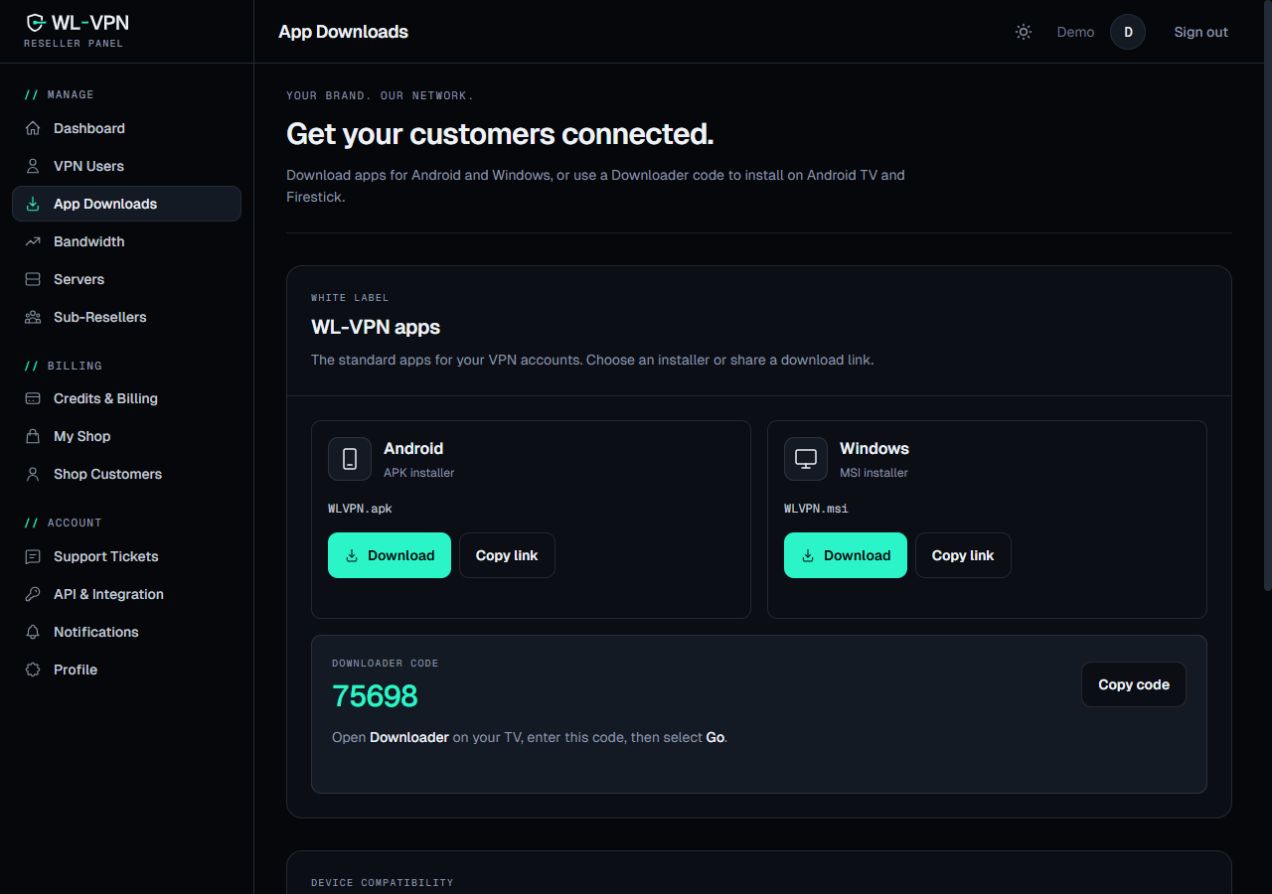
Test the devices you plan to support and write instructions that match the client customers will receive. Review app and branding options before promising a custom branded app or a particular platform.
The VPN Users page lets you search by username, name or email and filter accounts by status, including active, expiring and expired. Use these views to plan renewal contact and locate the correct account when a customer needs help.
Check the username and customer details before making an account change. Treat passwords as private: avoid including them in screenshots, public support messages or general order notes.
Choose Extend on the existing account and select the subscription term. The renewal review shows the credit cost and resulting expiry date. Check your balance and confirm that you are extending the intended account.
For an active account, renewal adds time to its existing expiry date. For an expired account, the new period starts from the time of renewal. Review the displayed date rather than assuming that every month contains a fixed number of days.
A payment from your customer and a VPN renewal are separate events when you manage sales manually. Record both so you can tell whether a paid order has been fulfilled. For automated handling, see the API renewal workflow.
If your account has shop access, configure your prices and payment connection before sharing the shop link.
Set up your storefront →A developer can use the reseller API to connect account provisioning to your existing order system.
Read the API guide →Your next step
Create an account to explore your panel, plans and credit pricing.